
Your team knows how to build a dashboard, reconcile a forecast, or improve a model. Explaining how that work supports the business often requires a separate effort: finding the right files, identifying who depends on them, and assembling a progress report from scattered notes.
MyDataWork brings those connections into one workspace. It links analytical assets to the use cases they support, the stakeholders who care about them, and the outcomes you record. You keep working in the tools you already use, while building the context to explain your contribution and decide what deserves attention next.
The updated interface makes that workflow easier to follow. Here is how the views fit together, from an individual piece of work to a broader conversation about value and priorities.
Start with the work you are responsible for
A request such as “reduce customer reconciliation work” can involve SQL models, spreadsheets, and a Power BI dashboard. Those assets matter because they support a business objective. Keeping that objective visible helps you organize the work around the result you want to achieve.
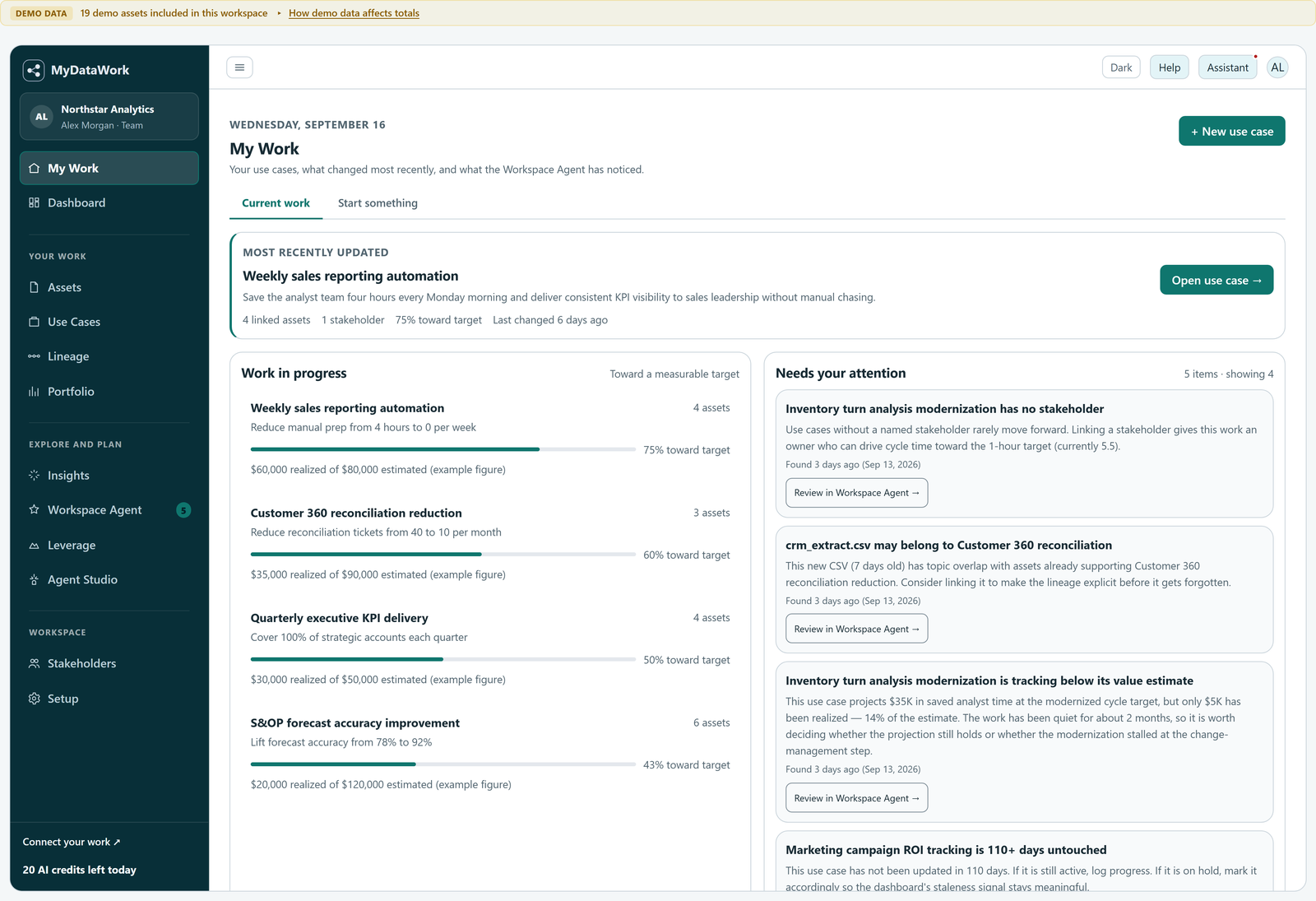
My Work, the landing view, brings your use cases into focus so you can pick up work in progress or begin something new. The sidebar groups the supporting views into Your work, Explore and plan, and Workspace, making it easier to move between the work itself and the context around it.
Give a business priority a practical starting point
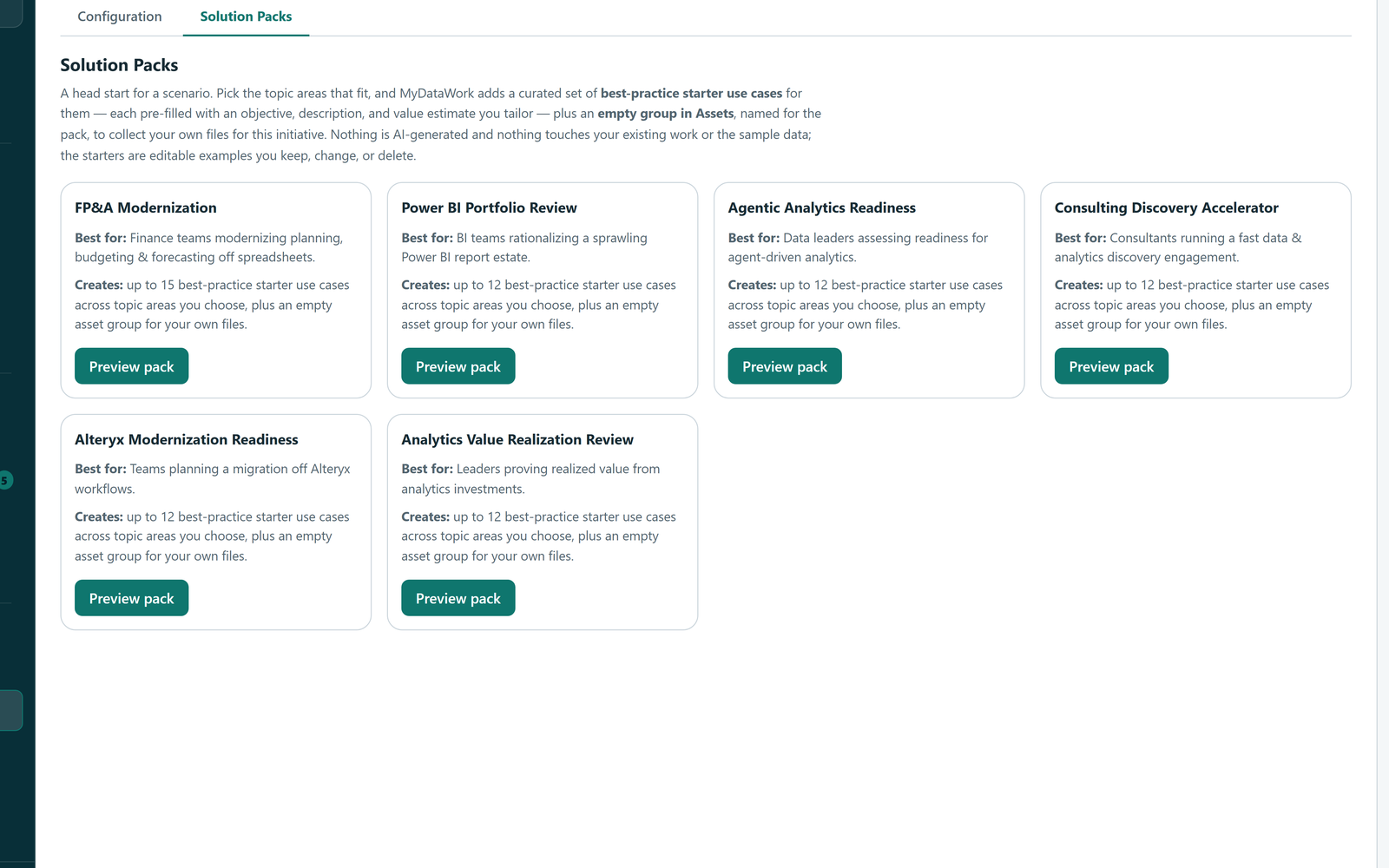
It is easier to organize work when you have a useful structure to begin with. Solution Packs create editable starter use cases for six common initiatives: FP&A modernization, Power BI portfolio rationalization, agentic readiness, consulting discovery, Alteryx modernization, and value realization.
Choose a pack that fits your priority, then adapt the use cases to your team. Add the assets, stakeholders, objectives, and value relevant to your situation. The pack provides a starting structure; your team supplies the business context.
If you are exploring MyDataWork for the first time, you can load the demo workspace to see these connections before adding your own work. When you are ready, connect local files through the Windows Connector or use the available cloud-source integrations.
Connect the objective, the assets, and the people
A use case brings together the information that explains why analytical work matters: what you are trying to achieve, which assets support it, who has a stake in the result, and how you will track progress and value.
The Customer 360 example below connects reconciliation work to two SQL assets and a Customer Health Dashboard. A named stakeholder gives the work a business contact. Estimated and realized value are recorded separately, alongside progress toward the objective.
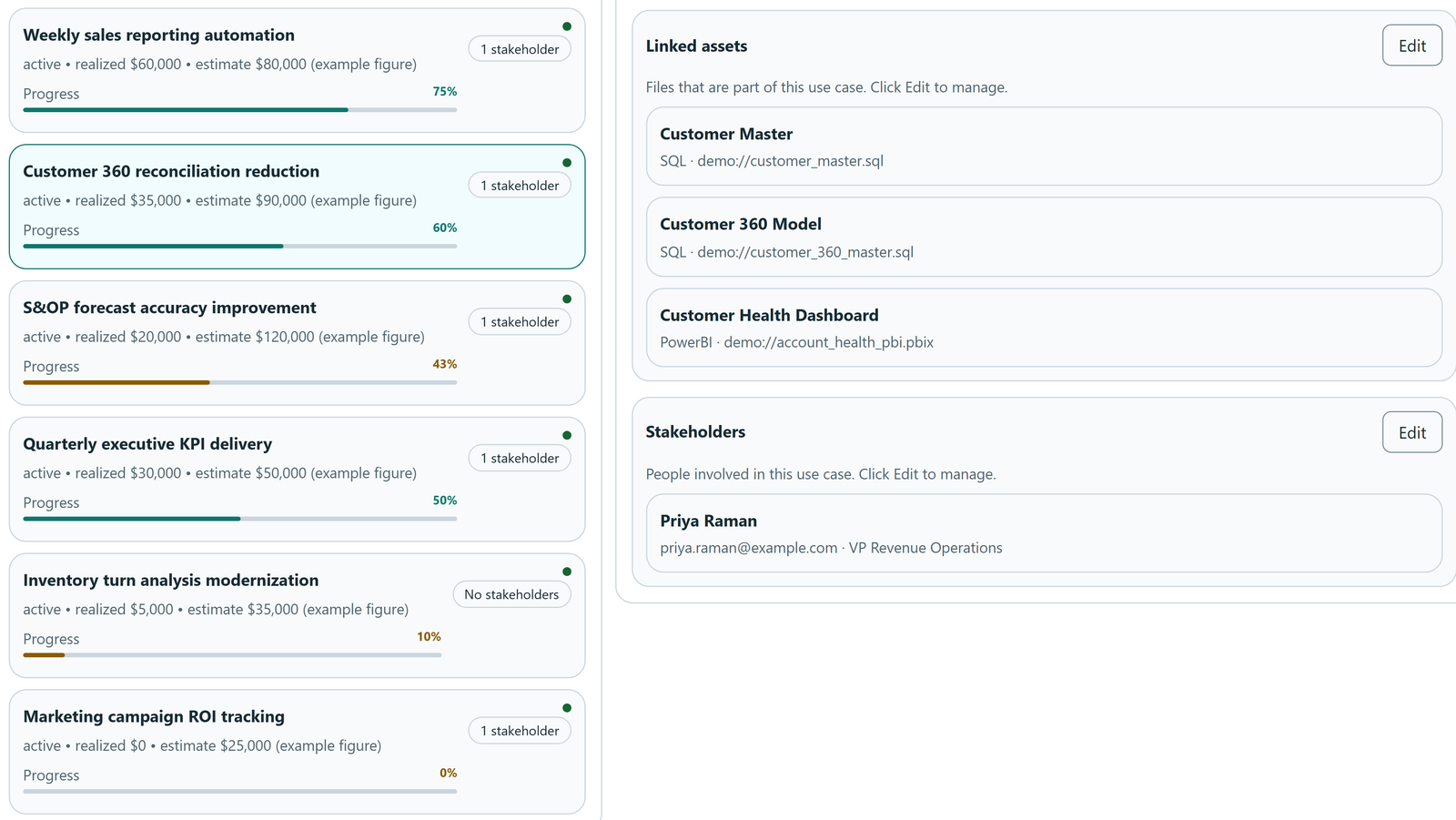
That shared context makes review conversations more concrete. Which part of the work needs attention? Who should be involved in a change? What evidence supports the value recorded so far? MyDataWork organizes the information for those conversations; your team remains responsible for the estimates, measurements, and interpretation.
Make progress and value easier to explain
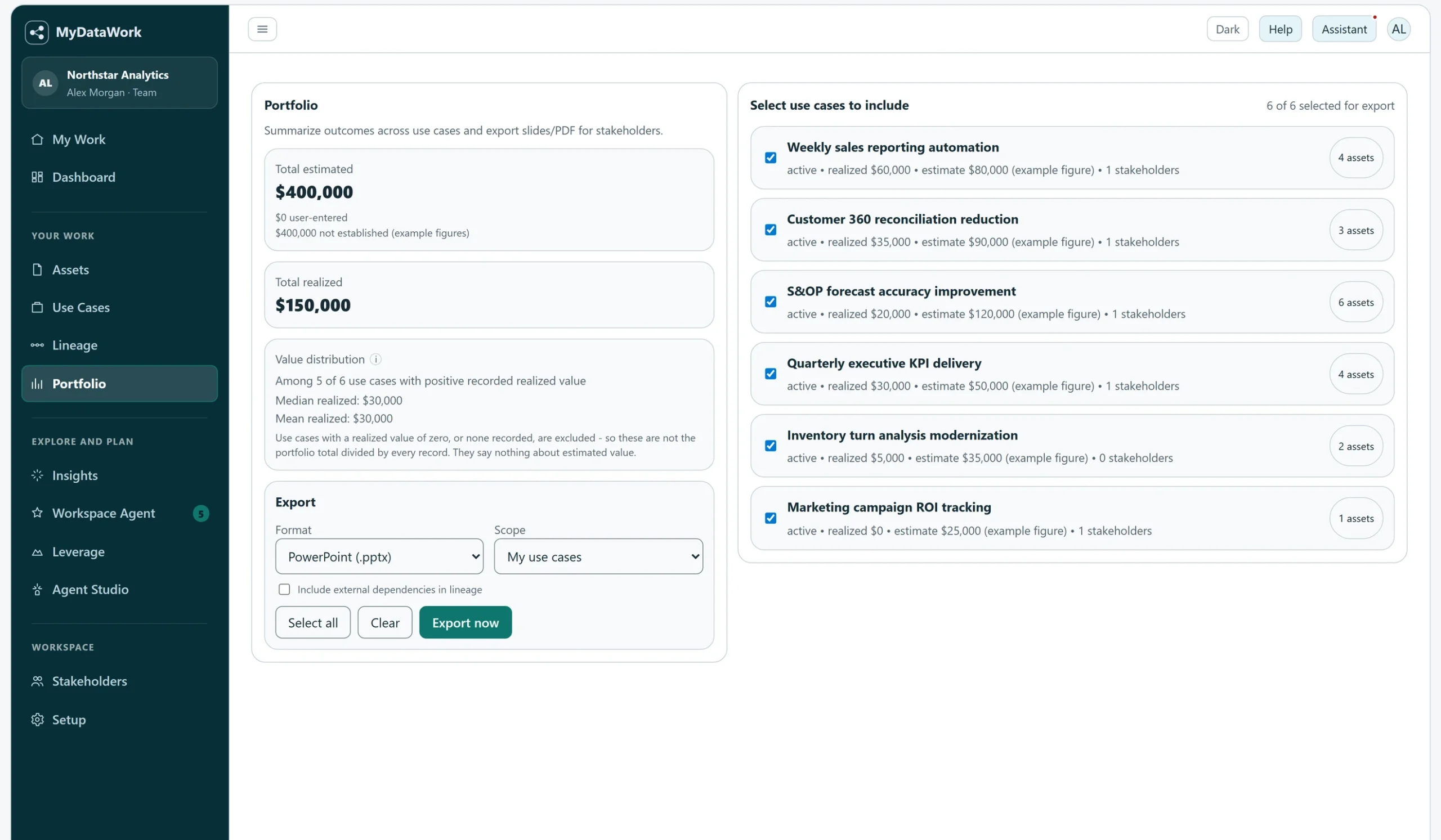
When a manager or stakeholder asks what your team is working on, Portfolio helps you bring selected use cases together and export them for review. The same context used to organize the work becomes the basis for discussing priorities, progress, and recorded value.
The Dashboard provides another perspective, summarizing recorded value and breaking it down by use case. Estimated value and realized value remain distinct, helping readers see the difference between an expected benefit and a benefit recorded so far.
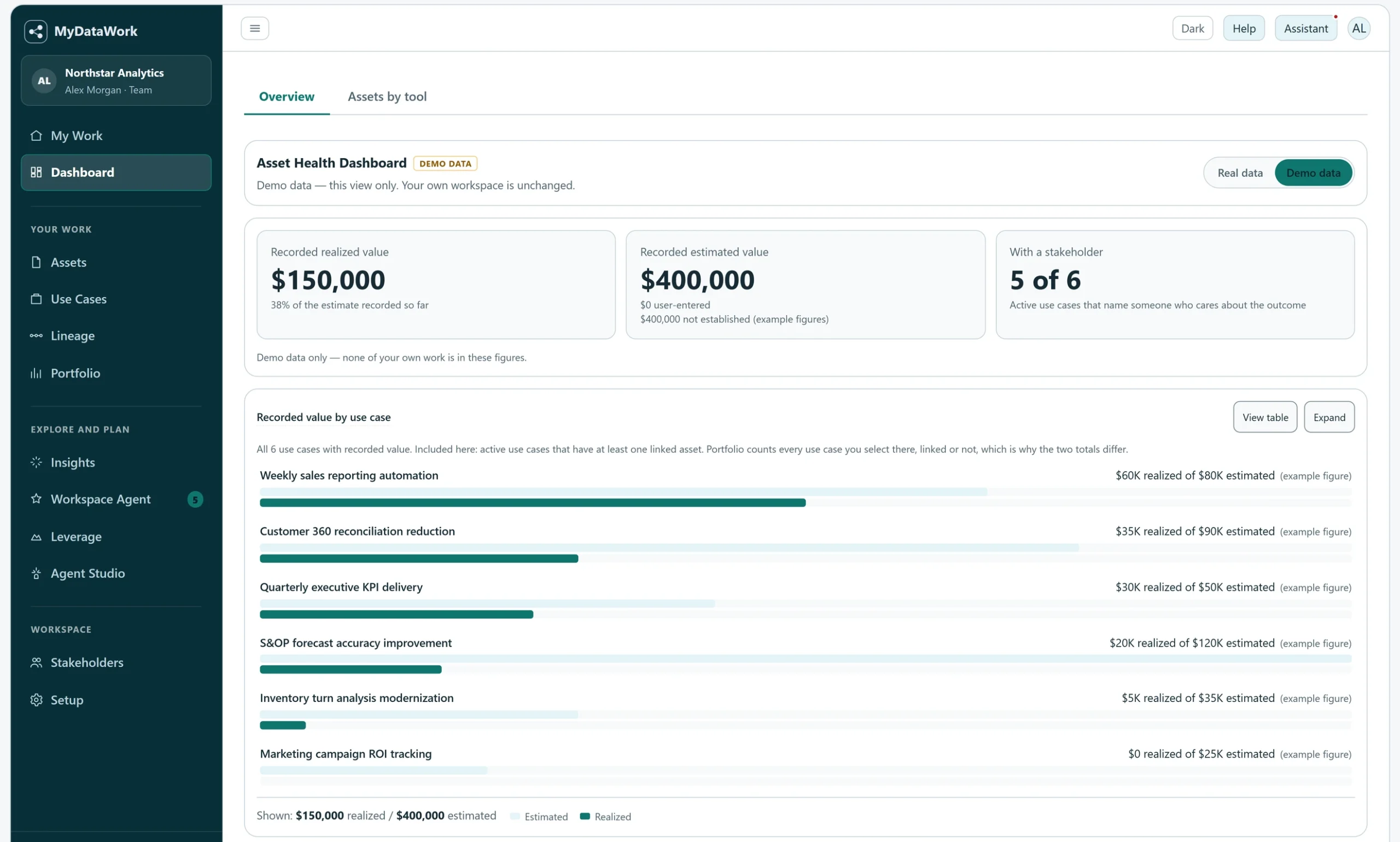
These views have different scopes: the Dashboard value chart includes active use cases with linked assets, while Portfolio includes the use cases you select, linked or not. Their totals can therefore differ. Neither view makes an estimate a proven return; both help your team explain what has been recorded and what still needs validation.
Understand relationships before making changes
Analytical work rarely stands alone. A model change may warrant a conversation with the people maintaining related reports. Lineage helps you inspect those relationships and identify references to sources outside the catalog.
In this example, Customer Master and Customer 360 Model have Shared source relationships with Customer Health Dashboard. The dashed boxes marked Not in catalog identify external references. Those distinctions help you decide what to investigate before changing an asset.
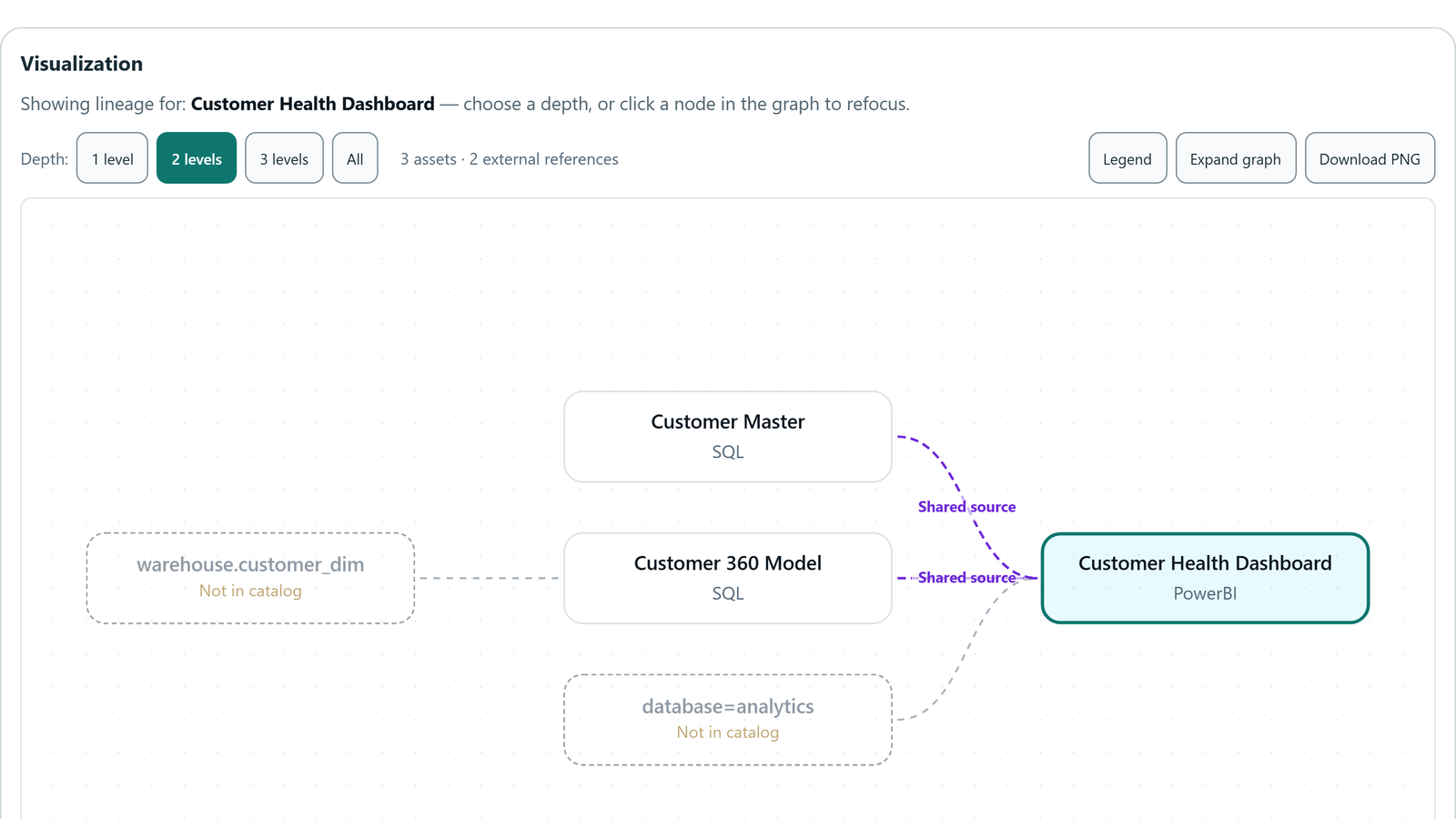
The graph supports investigation without treating every connection as a confirmed dependency. Combined with use-case and stakeholder information, it gives you more context for deciding whom to consult and what to check.
Find the gaps that deserve attention
As your workspace develops, Insights helps surface gaps such as assets without linked use cases, use cases without stakeholders, and estimated value without recorded realized value.
These are prompts for review. An unlinked asset may need business context added. A use case with no realized value recorded may still be in progress or awaiting measurement. The next step is to examine the work and decide what the gap means.
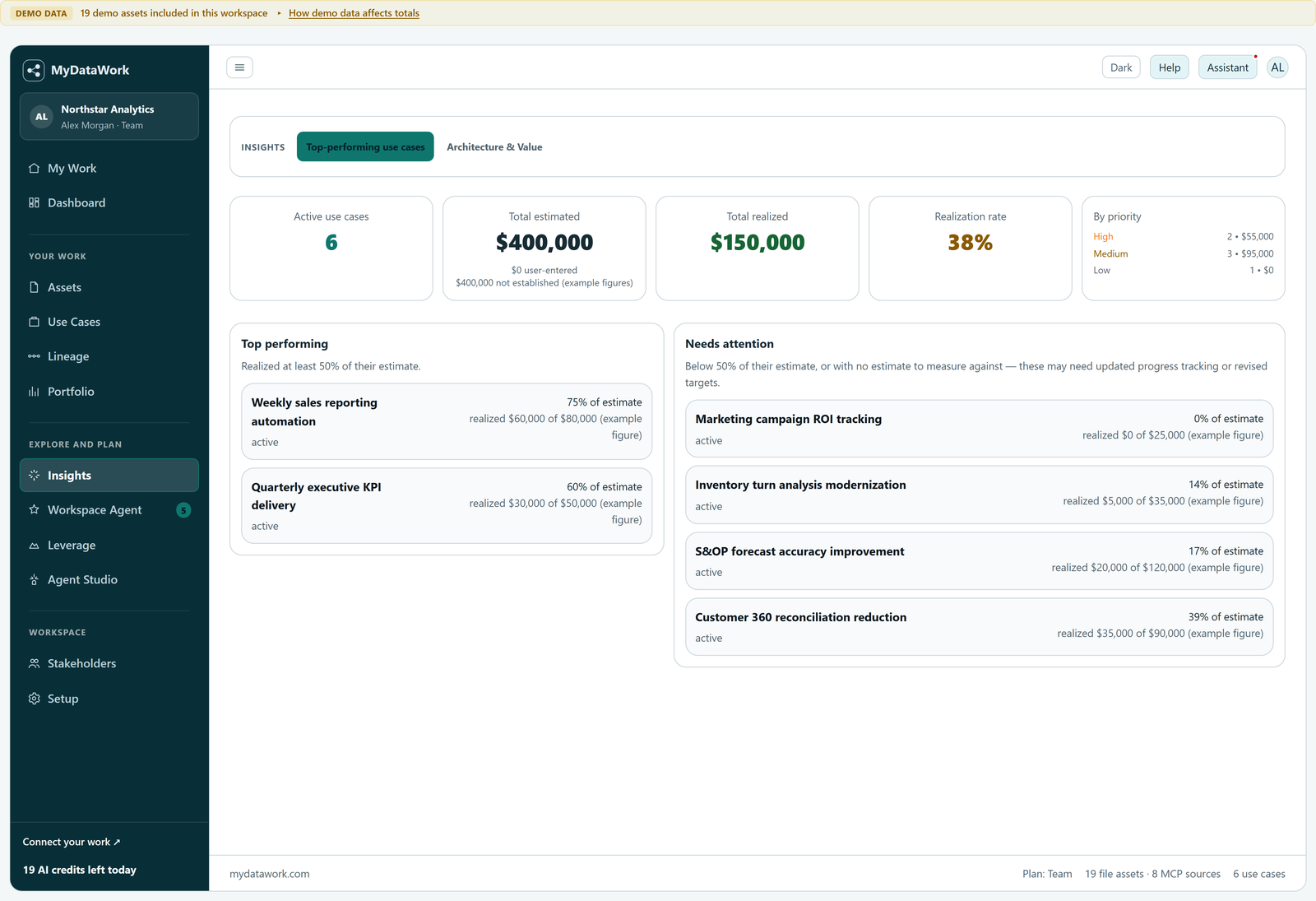
That context also provides a foundation for planning improvements. Leverage helps explore reuse, automation, data, and migration opportunities. Agent Studio helps design agent workflows for review and use with your own tooling; it does not execute those workflows.
Begin with one piece of work
Choose a report, reconciliation process, or improvement initiative your team already cares about. Create a use case, link the assets that support it, identify a stakeholder, and record the objective and the value you can substantiate.
You now have a starting point for explaining what the work supports, discussing its progress, and making informed decisions about what comes next. That is the purpose of MyDataWork: connect analytical work to business outcomes, while using the tools you already have.
Take a closer look
See how MyDataWork connects analytical work to business outcomes, or start with a workspace of your own.
Explore MyDataWork Start your free 90-day trial