
Priya Nair leads supply planning at Fernhill Apparel. In this scenario, her day is a run of requests: a replenishment question at 8:45, a review at eleven, a migration checkpoint on Friday and an agent pilot next week. She is good at this work. Between requests, she keeps returning to files, notes and conversations to recover the context she needs. What changes when that context has a place to stay?
The context lives in many places
The workflow file is on a shared drive. The reason a number changed is in a note from Monday’s review. The question arrives in a team message, and an AI assistant helps her read a SQL join. Every one of those tools is useful. In Priya’s current setup, those connections are scattered across the tools.
An AI assistant can help explain the code. In MyDataWork, Priya records the relevant findings with the assets and use case they support. The benefit is a shared starting point for her next task, rather than another explanation to reconstruct.
Her files, grouped by the work they serve
Priya’s workbooks, CSV extracts and Alteryx workflows are cataloged by the MyDataWork Connector, which scans a folder she chooses on her Windows computer. The Connector extracts supported asset metadata. Priya views the cataloged assets grouped by their linked use cases. From an asset, she can open the workbook in Excel: the Connector opens the file at its original location. The tools still do the work.
8:45: why did the order jump?
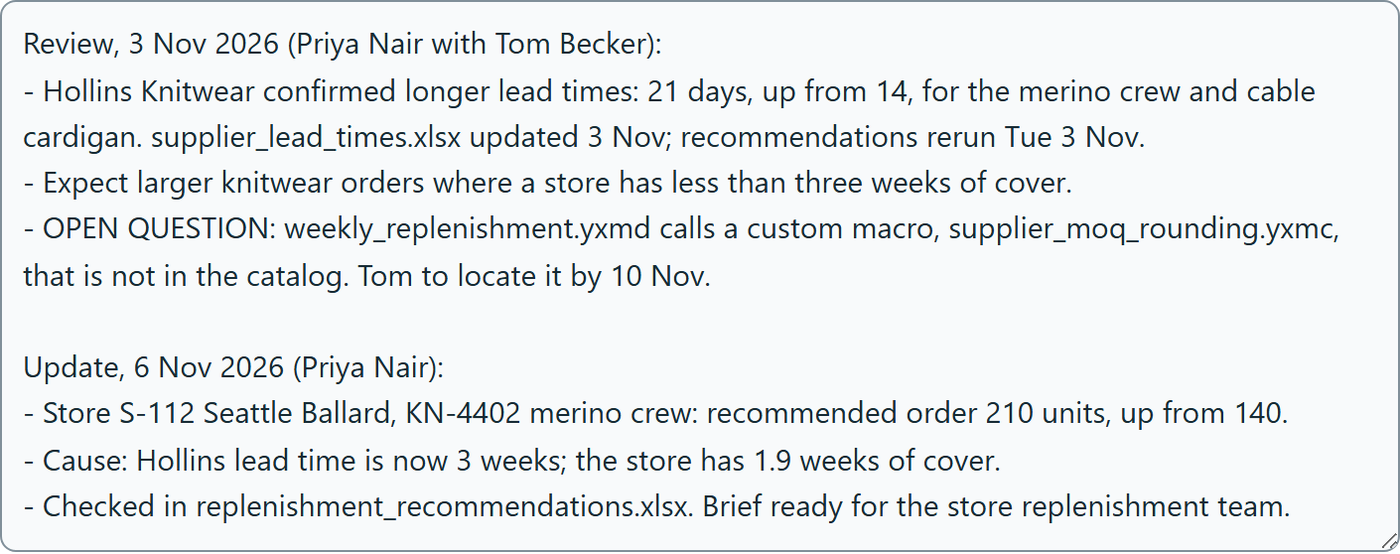
Store operations asks why the Seattle Ballard order for a merino crew sweater rose from 140 to 210 units. The answer is already recorded on the use case: on November 3 the supplier confirmed a longer lead time, 21 days instead of 14, and the recommendations were rerun.
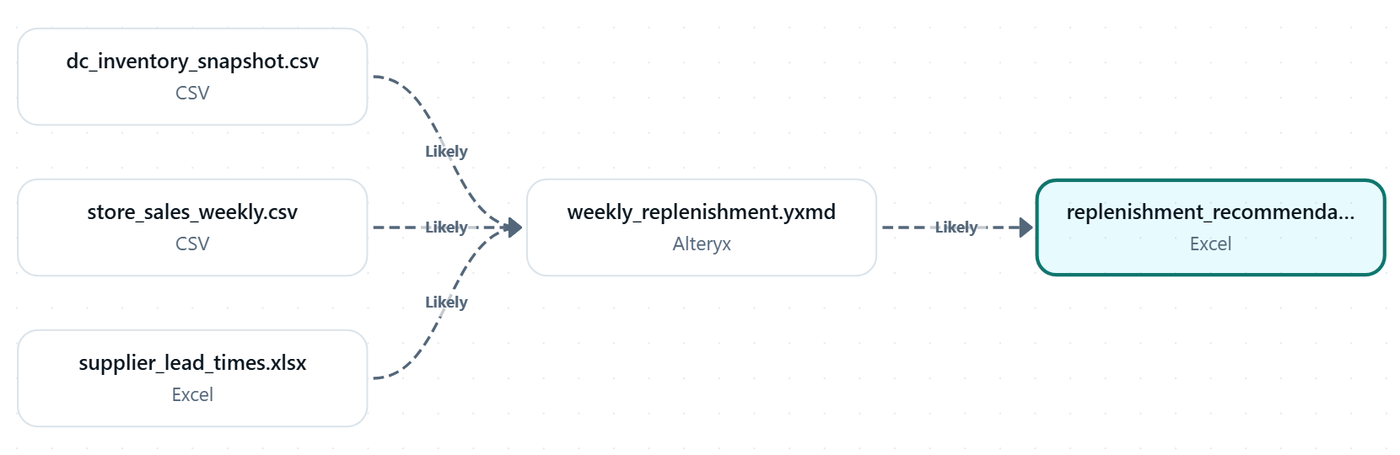
The lineage view shows which files feed the recommendation. Each connection is labeled “Likely” because MyDataWork matched it by filename, from the workflow’s own inputs and outputs, and it says so.
Eleven o’clock: a brief that carries the reason
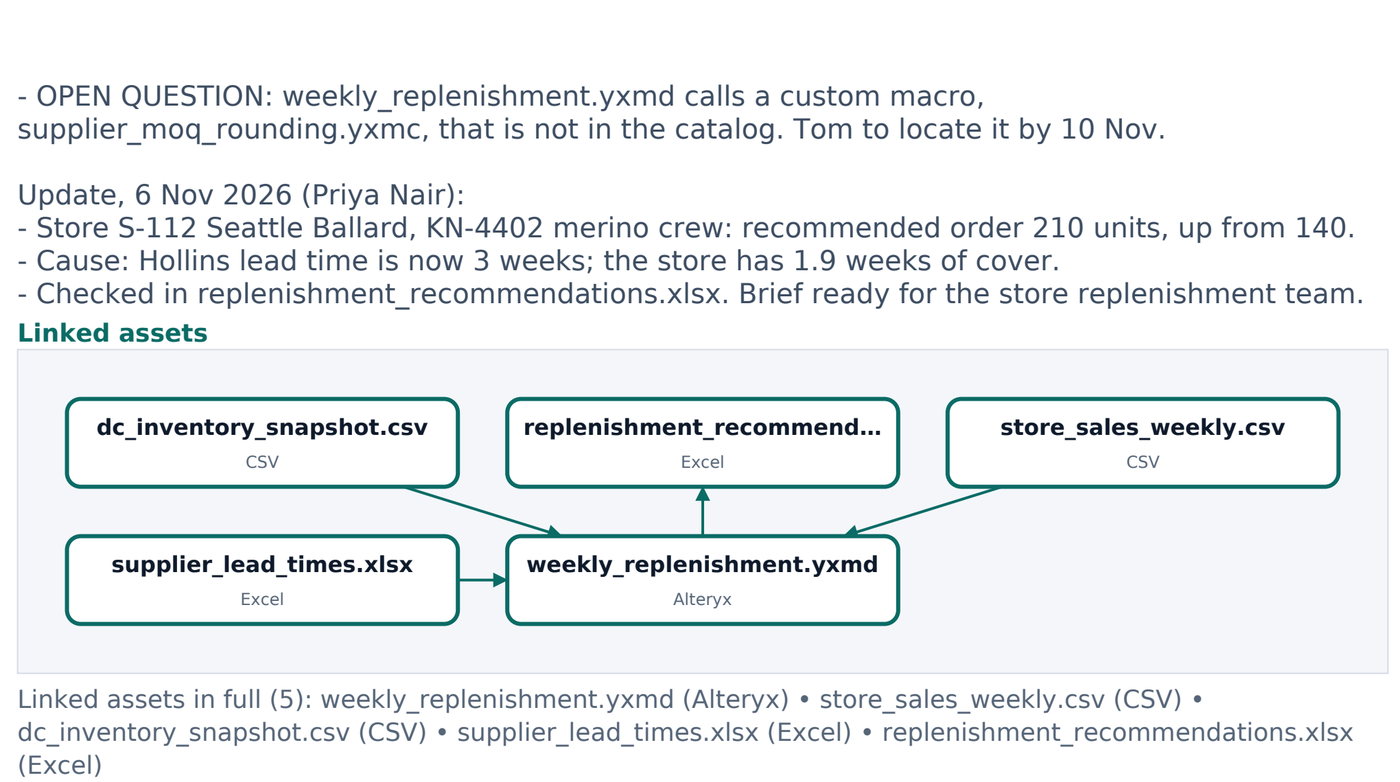
Priya checks the number in the workbook, adds a dated update to the progress notes, and exports the use case as a PDF brief. The PDF includes the progress notes and the linked files by name, so the store team sees the reason with the recommendation. Each export is a dated copy; a PDF already shared doesn’t change.
Friday: a migration checkpoint, not a migration decision
MyDataWork’s Migration options offer initial suggestions from the use case’s title, description and objective and its linked asset names and tools. They don’t read file contents, macros or code, and they don’t prove a conversion is feasible. Priya treats them as an input and records what must be proven before anything moves: whether the custom macro is the only custom logic, who maintains a replacement, and an acceptance test of parallel Monday runs with matching order quantities.
Next week: an agent pilot, planned rather than run
In Agent Studio, she refines a proposed assistant for supplier delays: the files it may use, the guardrails (“never changes an order”), and a human checkpoint where she approves every exception. Agent Studio saves the definition for her team to review and build. It doesn’t run an agent.
A connection that sees one use case
To prepare context for an external AI client, Priya writes today’s guidance into the use case objective, because that is a field the connection returns. She grants a live connection key access to that one use case. In the recorded connection test, the key returned the requested use case, including its title, status, objective, description and linked assets. When she removed the grant, the next read was refused: “grouping 1 is not in this agent’s granted context.”
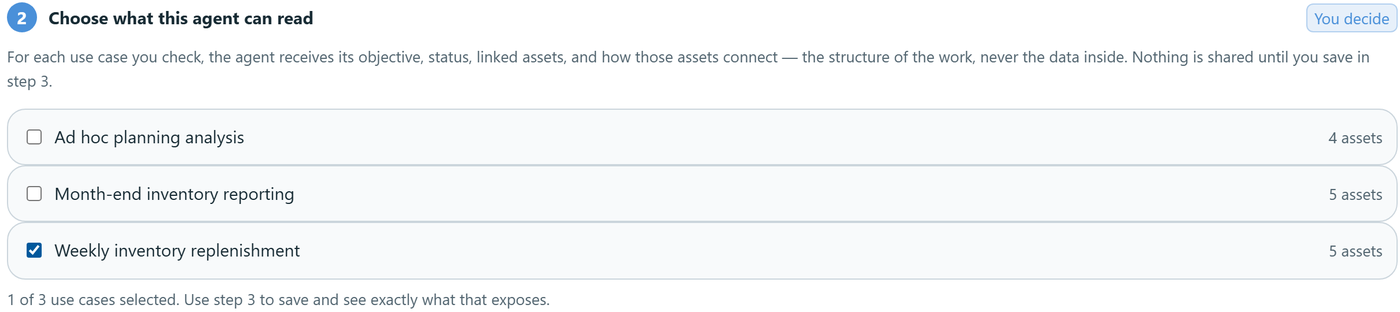
Progress notes, stakeholders and action items are not part of what the connection returns; the objective and description are. Live connections need the Solo, Team or Early Access plan; Explorer can export the same context as a file.
What she has at the end of the day
A review brief ready to share, initial migration suggestions with her open questions, a refined agent definition, and a connection scoped to one use case. Each is a draft or a configuration, not an automated outcome. The tools still do the analysis. MyDataWork keeps the work, its purpose and the next decision connected.
This walkthrough uses an illustrative scenario and demonstration data. “Open file” requires the MyDataWork Connector on Windows. The Migration options result shown in the video was recorded on November 1, 2026 in a demonstration workspace.
Start with one use case you already support
Keep the work, its purpose and the next decision connected, then use that context for the review, the migration discussion and the next AI pilot.
